
Build the Minecraft mod you imagined.
Qube helps you build, revise, and extend Minecraft mods with AI-assisted code, assets, Minecraft runs, and in-game review.
For Windows 10 and 11.
Community spotlight
See what the community is making.
@cybercraft2069 on Instagram
@cybercraft2069 built a cyberpunk Maxtac encounter with Qube and shared the result on Instagram.
Watch the reelHow Qube works
Everything your mod needs, in one workflow.
From code and assets to in-game testing and multiplayer, Qube keeps an evolving mod connected as you keep building.
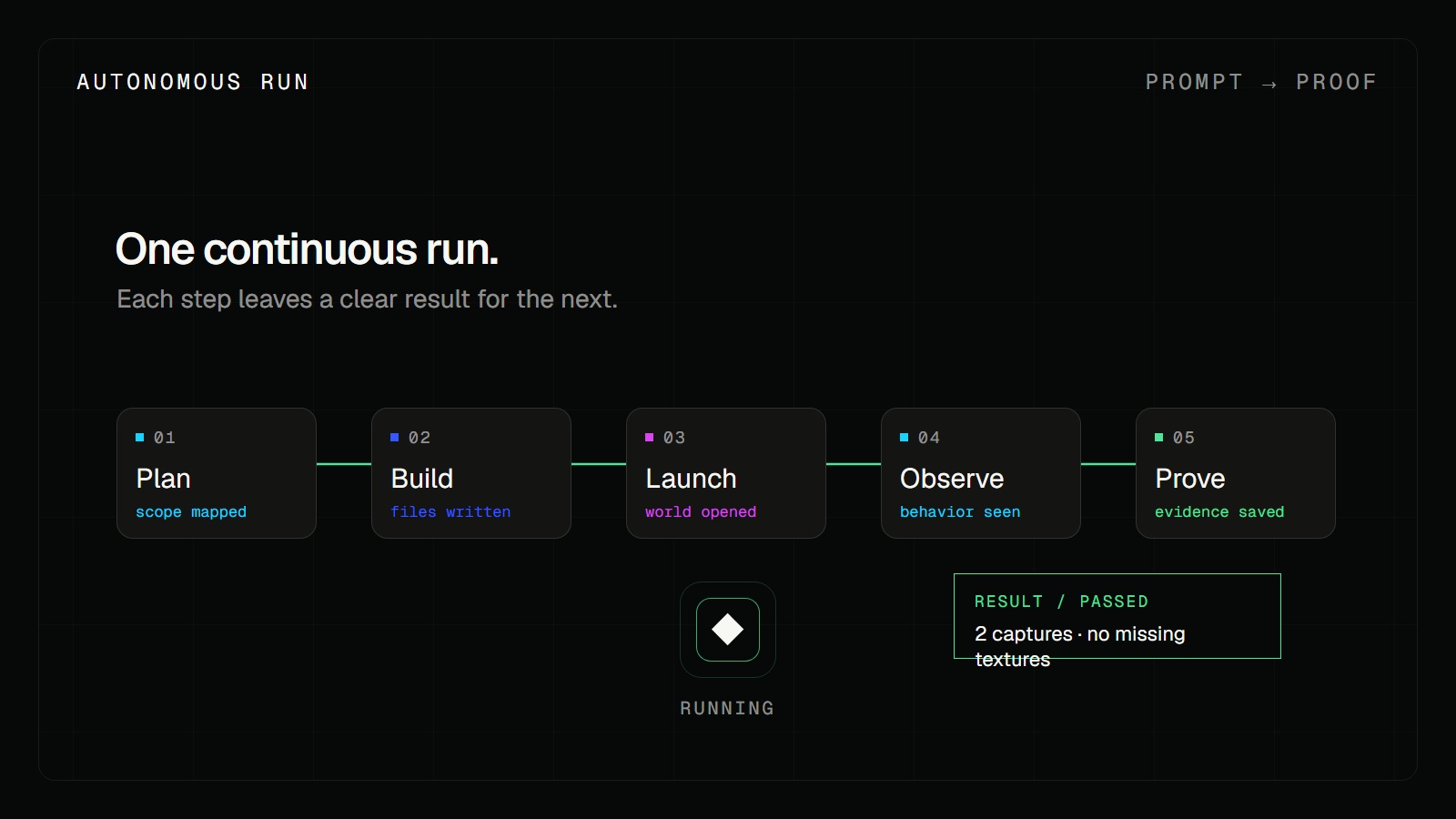
01 / Build and test
See your mod working in Minecraft.
Qube writes changes, launches Minecraft, tests them in-game, and brings back evidence so you can review the next step in your project.
02 / Play together
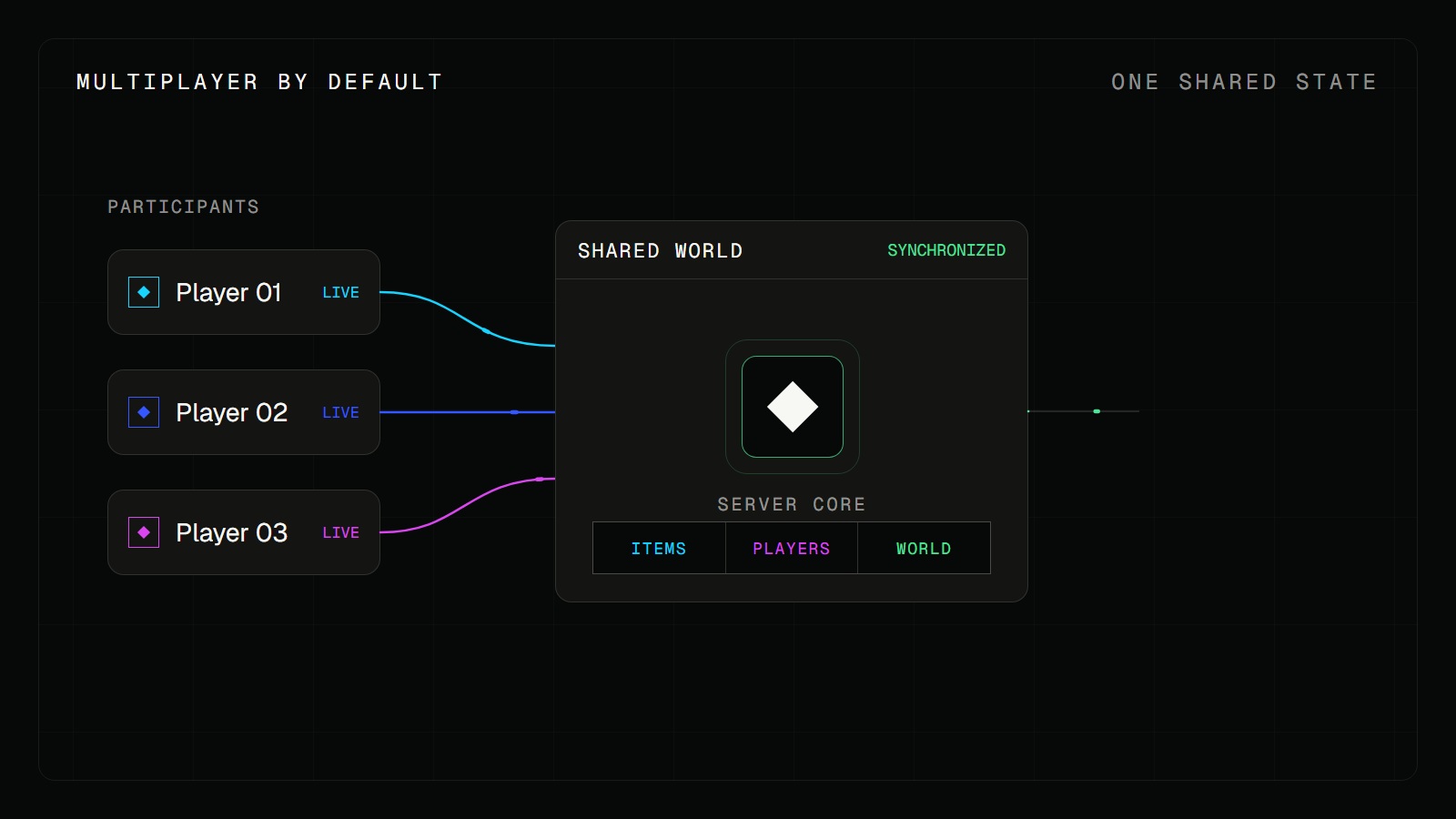
Ready to play together.
Qube builds multiplayer support into your mod from the start, so you can bring it to a server without rebuilding it later.
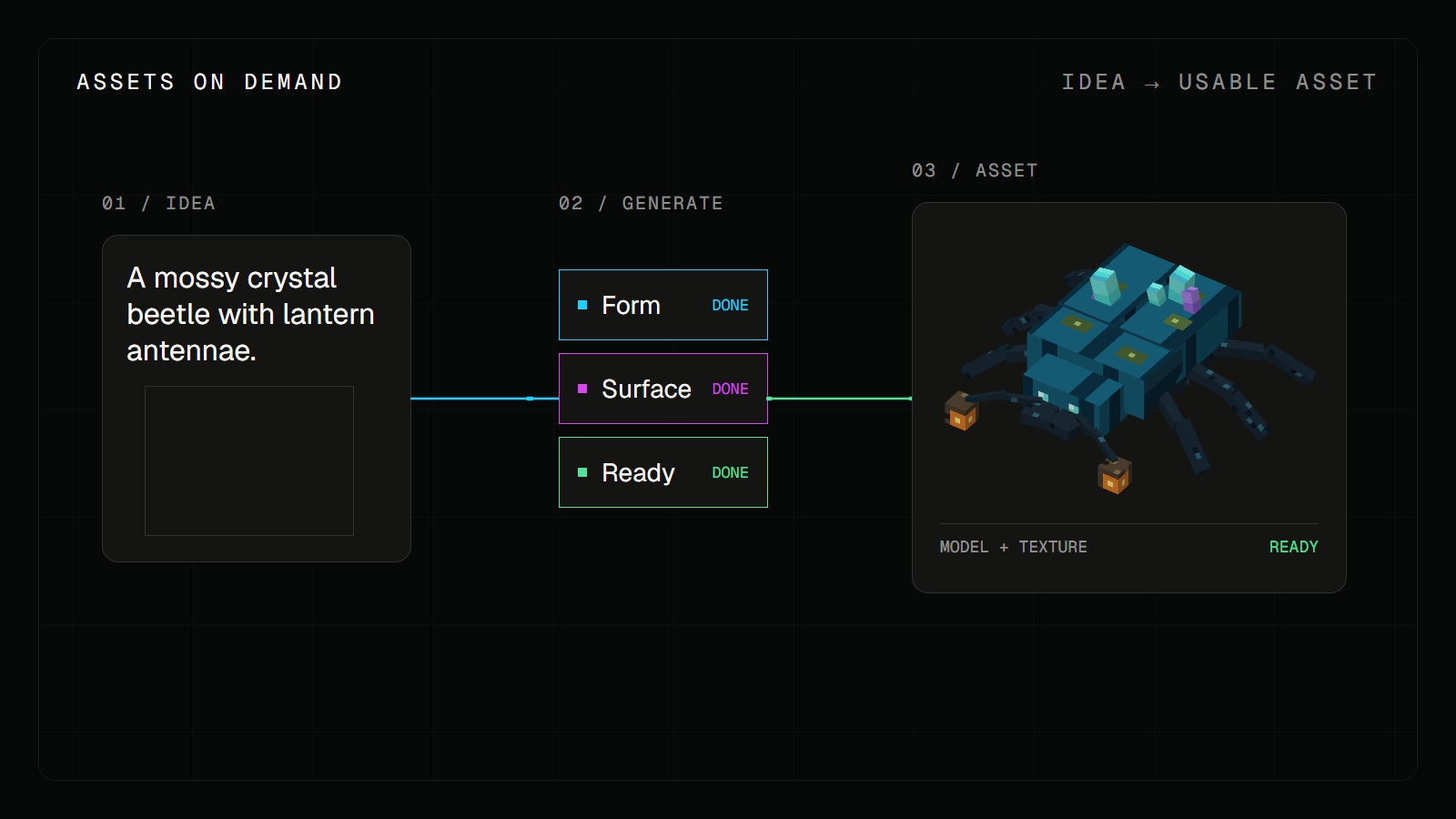
03 / Add the details
The assets come with the code.
Ask for a block, item, or creature. Qube makes the model and textures and connects them to your mod.
Made with Qube
See what a prompt can become.
Procedural world generation
Qube generates city environments procedurally using advanced algorithms.
3D asset gallery
Explore the assets Qube can build.
Browse textured 3D creatures, vehicles, props, and more. Open any model to inspect it up close.
Explore the gallery Model preview
Your next mod starts with an idea.
Download Qube for Windows and start building, or meet other builders on Discord.
Questions about Qube
Build something that can keep growing.
How does Qube help with Minecraft mod development?
Qube connects prompts, code, assets, Minecraft runs, and in-game review so you can keep developing a mod over multiple changes instead of starting over from one prompt.
Do I need to be an experienced developer?
Qube is designed to be approachable for people who are new to mod development while giving experienced developers a faster way to explore and iterate on ideas.
Can Qube create custom assets?
Qube can create models and textures for blocks, items, and creatures and connect those assets to the mod workflow.
Can I keep changing a mod over time?
Yes. The workflow is built around repeated prompts, code and asset changes, in-game runs, and review as the project grows.
How do I get Qube?
Download the Qube IDE for Windows, then sign in with your Qube account to start building.